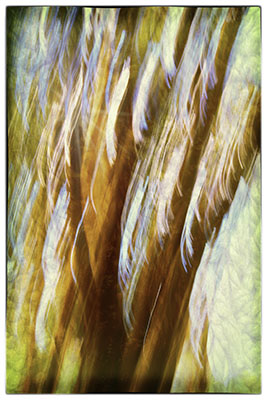
Tree Abstract

Tree_Abstract_TTEIt was mostly about post processing this week though I did get out yesterday to find some Wood Ducks. Still I liked this abstract enough to designate it image of the week.

This was shot at the butterfly grove in Pismo Beach. I used a low ISO and slow shutter speed to capture this while deliberately moving the camera.

Then in Photoshop I added vibrance and saturation. Next I took it into Topaz Texture Effects and just started looking for something I liked in the presets. Once I found it I drilled down and started playing with the preset filters. I changed the texture to give it a more foresty look and changed the light leak to give a hint of a sunburst in the upper left.  Then I added a border just for visual interest. I finished it off in Color Efex Pro with an image border so it wasn’t totally squared off.

I like that it is still obviously about trees but abstract enough that it is definitely not a straight photograph nor could it be easily reproduced. I think for photography to be art it should not be easy to reproduce, which is getting harder and harder to do.
Elephant Seal

Elephant_Seal

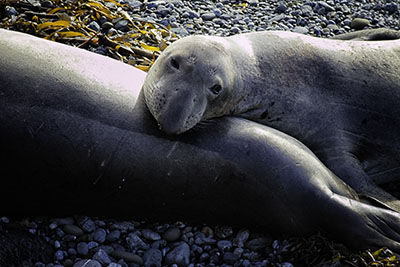
Touring California’s central coast brought us to an elephant seal rookery yesterday. There were many great pictures but this one won for cuteness and the soulful look on the face of this young male seal who is perhaps dreaming of the day when he will be beach master and have a chance to mate.

Post processing was about as usual, a little detail, a little saturation and a little darkening of the corners.

Raindrops

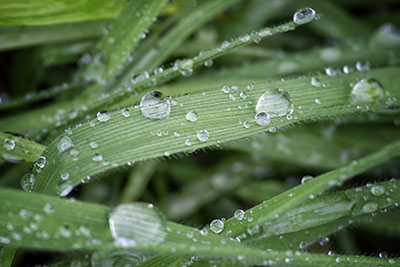
Raindrops

This image was taken on a photo walk with my new Canon EOS M3. It had just started to clear after a rainstorm and the grass was covered with raindrops. I didn’t have a tripod with me but decided what the heck and started shooting away hand held. Not bad, eh? So far I’m pretty impressed with this little camera and have to congratulate Canon on fixing most of the things that didn’t work for me on the M classic.

Oak Leaf

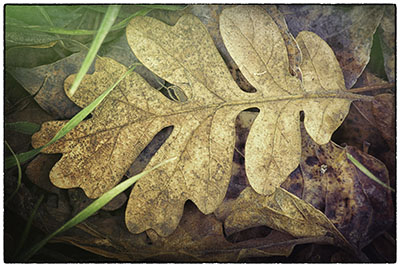
Oak_leaf_113

Seems like about all I can find to photograph lately are dead oak leaves. But I am getting some pretty good images so maybe I will do a virtual gallery show that is just oak leaves. Or at least, just leaves. This one was processed using a new software program from Topaz called Texture Effects. I like the way it added some color around the edges and brought out the green grass blades.

Sunset with Dog

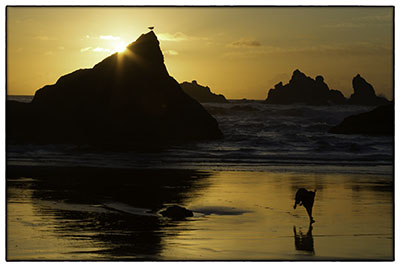
Sunset_wdog2

This is an image I passed by in earlier editing because the sky was overexposed. It finally occurred to me as I sifted through images at the end of the year that I had the correct exposure on another frame without the dog. So, I blended the two images in Photoshop and came up with this beauty.

How did I do that, you may ask. Just open both images in Photoshop. Put the dog image on the bottom and the good sky image on the top. Add a layer mask to the top image. Select the brush tool and paint with black let the dog come through. I used the lines of the ocean and the rocks shadow to get a nice blend. I also had to insert a levels layer between the two images to help get the exposures to line up.

Image of the Year – Red Poppy

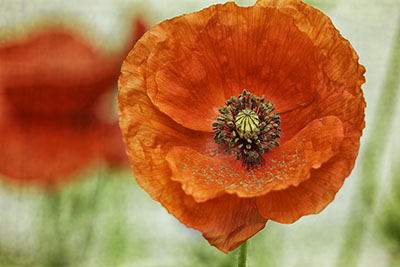
Red_Poppy.jpg

Well, it’s been a mad dash this week. I’ve been culling my files for my favorite images of 2015. I started with over 6500 images and ended with around 4000. Yes there is probably more opportunity for opening up disc space but it’s a good start. At the end of the day I had 65 images on my best of list and had to cut it down to 25, which in the end wasn’t that hard after all. I went through the list without seeing the images and certain ones just stood out in my mind.

Among the final 25 there were 6 flowers and 6 birds, three coastal sunsets, and only 4 that showed the hand of mankind. Ten could fall into the macro or closeup category, 6 had alternative processing, meaning a texture or painterly treatment was added after the fact. And two were black and white, which seems to be calling to me more these days. To see all 25, go to http://jeannehoadley.com/Fav2015.

But when it came down to choosing the image of the year this was more of a Sophie’s choice. I love them all but in my mind I kept coming back to the Pansies and the Red Poppy, though sunset with dog had it’s moments. On a different day I might have chosen differently but in the end I had to make a choice and today the red poppy rose to the top. As for the new sidebar image on this blog, I needed a vertical and the Iris was hands down my favorite of the three verticals.

I’m still not sure anyone is reading this blog  but happiest of new years to you if you do!

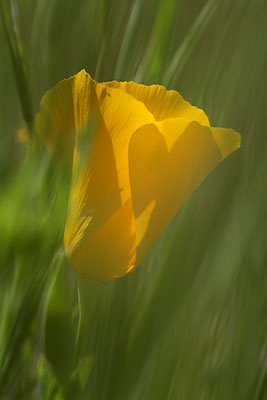
Poppy

Poppy3

It’s that time of year that I start cleaning out the files and looking for hidden gems that I missed in the first round of processing. This Poppy certainly falls into the hidden gem category. Not sure how I missed it before.

Post processing required only a little cropping ans saturation and some denoise treatment which is getting to be standard for me.

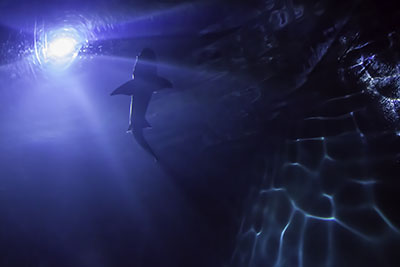
Shark

Shark

On tour with the Road Scholars this week we ended day one with a visit to the Oregon Coast Aquarium in Newport. I was excited with how well this shark silhouette turned out. Had to do a lot of noise reduction,exposure adjustment and sharpening but overall I think it turned out quite well.

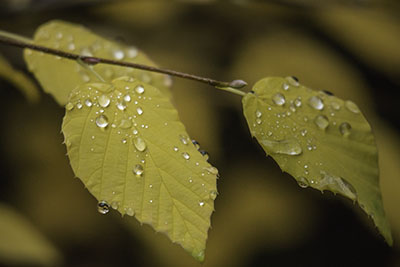
Raindrops on Autumn Leaves

Raindrops

Well, first of all kudos to Canon for finally getting with the program on mirrorless. Not only did they start marketing a telephoto lens in North America, they have introduced an updated version of the EOS M. I haven’t yet sprung for the new body (dubbed the EOS M3) but I jumped on the telephoto lens for my original EOS M and have been running around testing it out on autumn leaves and I am pretty happy with the results, all of which have been handheld.  Imagine what I could do with the upgraded body…hmmm. First I need to invest in a telephoto lens for the Fujifilm, and then Tamron has a new medium telephoto that would look good on the 7D…. so many ways to spend my money.

Anyway I found these leaves with raindrops in Lithia Park at the Japanese Gardens which, as of Wednesday were all decked out in stunning colors. The leaves are falling fast though so get there soon.

I made a break from my usual post processing routine and did this one mostly in Lightroom. I cropped in some and even rotated a little to get more of a diagonal line on the branch. I added clarity, vibrance and a touch of saturation. Then needed some noise reduction since I was shooting at high ISO. Finally some sharpening and then I took it into Photoshop for some spot healing and a little darkening around the edges and on the right side to bring out the leaf on the left.