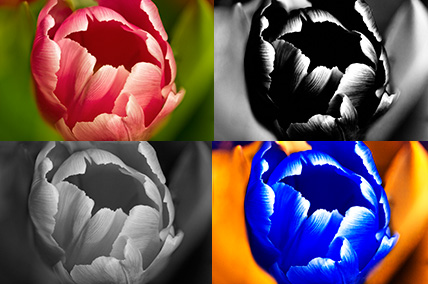
It’s that time of year when shooting macro generally means turning my kitchen into a photo studio. I also just got the full package of Nik software so have been experimenting with different effects. First the capture, for this image I used a technique I’m really starting to like. I shot this tulip using a shallow depth of field and then, using a tripod of course, switched it up to a sharp focus. Then I took the two images into Photoshop and blended them so that the flower was sharp while the background was soft. I then took the resulting image into Viveza and added structure to bring out the details in the flower even more. Then I took the image into Color Efex Pro and just started playing around with different filters.
Starting from the upper left and going clockwise….in the first image I added a bi-color filter with a warm color on top and a green on the bottom. This warmed up the flower and softened the highlights. Next I tried the Infrared film filter to get the dark flower in the upper right. Then I switched out the options in the IR film filter to get the false color image in the lower right. Finally, I did a simple black and white conversion for the one on the lower left.
I like them all. Comment if you have a favorite!