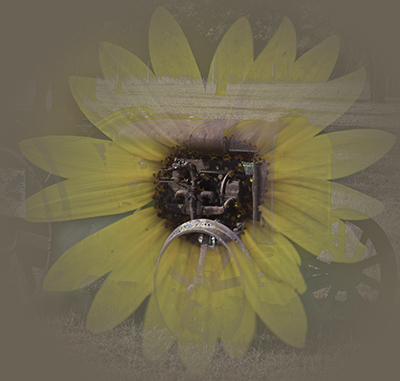
 We are working on compositing techniques in Photoshop class this week and I was playing around with pairing this sunflower with an old rusty tractor. I thought it was way cool that the tractor engine came up to replace the center of the flower. Makes a nice commentary on nature and technology. So, how did we get here? Cropped and resized both images to be the same size and saved the resulting files. Then in Photoshop go to file/automate/merge to HDR Pro. You will have an opportunity to adjust some sliders but Photoshop does a pretty good job on its own. I then added a levels layer after the fact to balance the tones. Finally, I put on a radial gradient filter to focus attention on the flower and cropped again. I added a layer behind with the color selected by the eyedropper from the rusty tractor.